
For money lenders · हिंदी + English
Every loan. Every rupee. Kept straight.
OrbitHisaab replaces the notebook. Record borrowers and loans, get the EMI schedule instantly, collect payments with receipts, and see who is due today — in Hindi or English, even without internet.
- Hindi & English
- Works offline
- Data stored in India
- No ads
Features
Everything a lender writes down — done for you
Built with lenders in Bihar and across North India. Simple screens, big numbers, and Hindi that reads naturally.
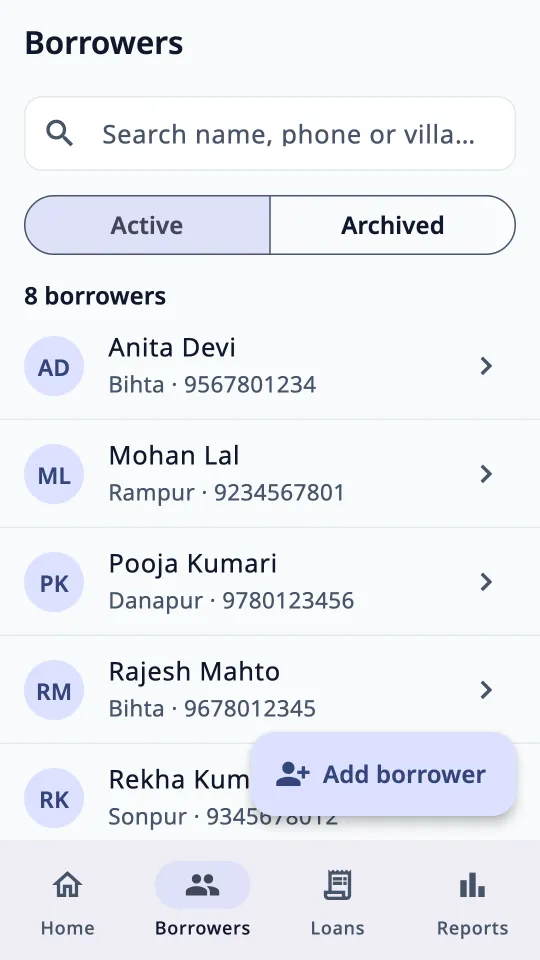
Borrower book
Name, phone, village, guarantor and photo. Search anyone in a second; archive old ones.
Instant EMI schedule
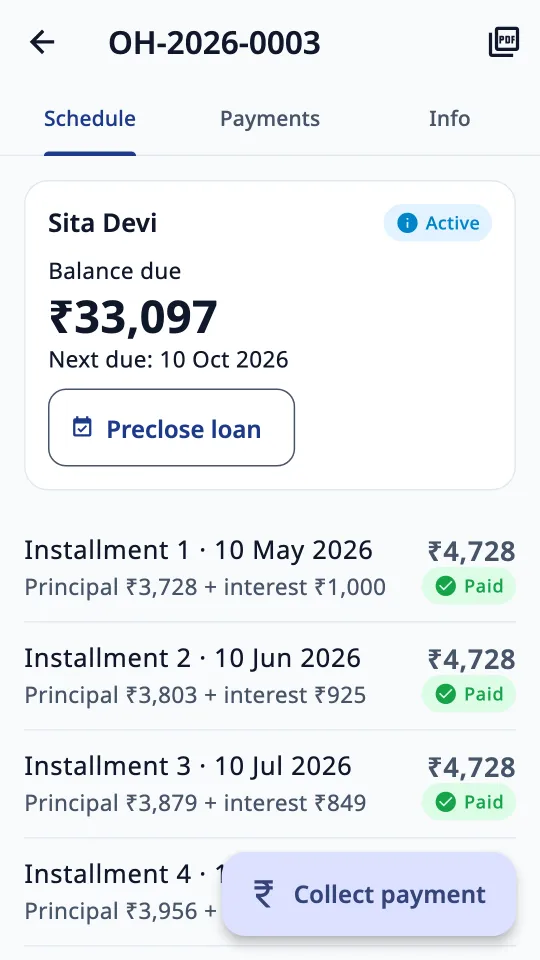
Flat or reducing balance, weekly, fortnightly or monthly. Every installment and its due date, worked out for you.
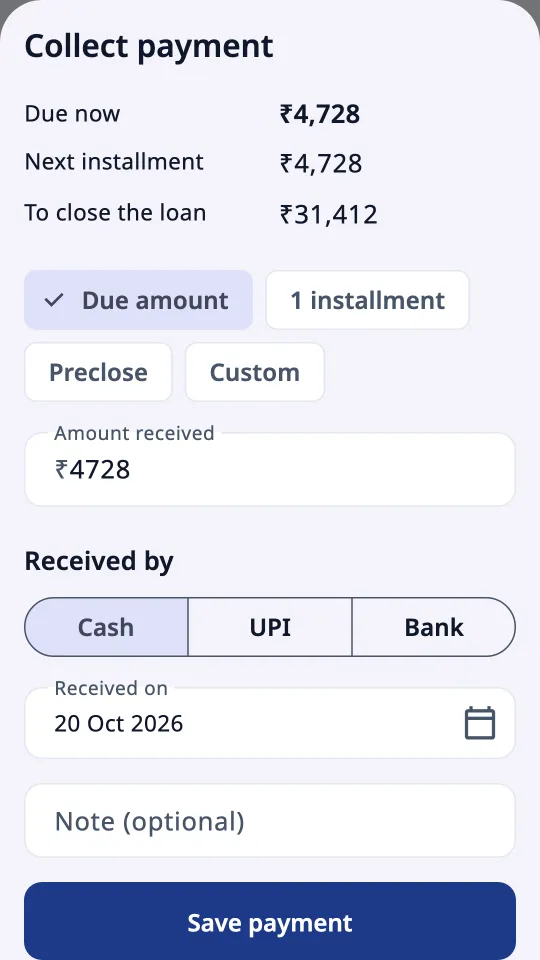
Collect in seconds
Due amount, one installment, part payment or full preclosure. Cash, UPI or bank — split into interest and principal automatically.
Receipts you can share
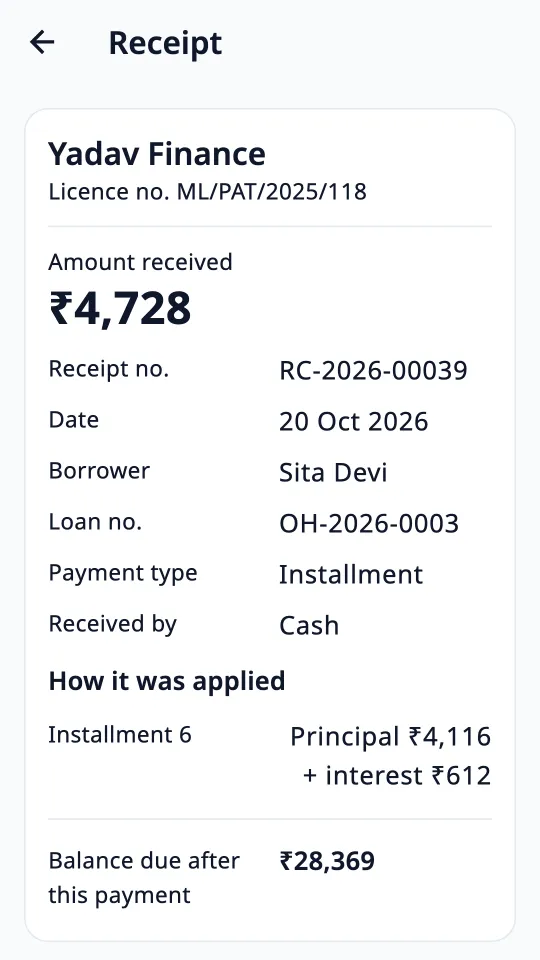
Numbered receipts with your licence number. Send as PDF or WhatsApp text. Wrong entry? Reverse it with a reason — nothing is silently deleted.
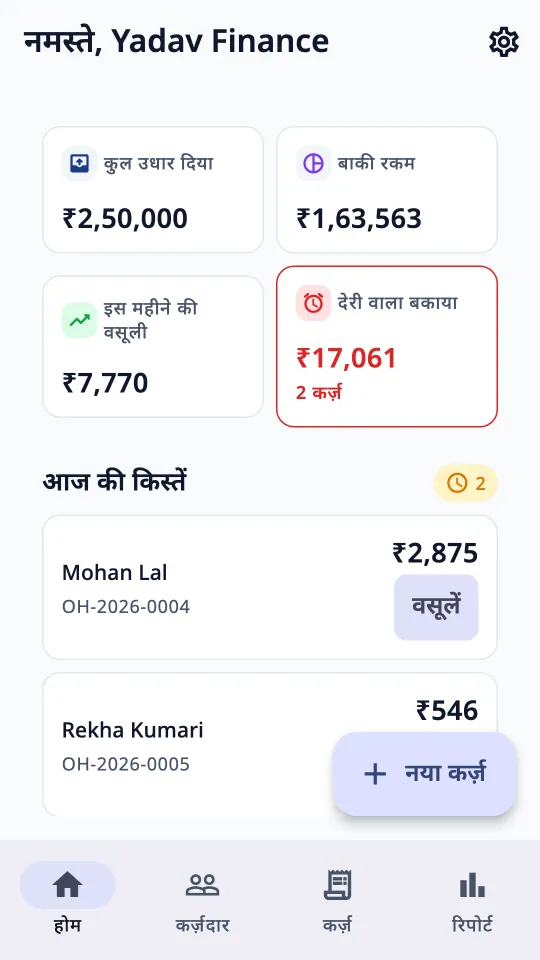
Due today & overdue
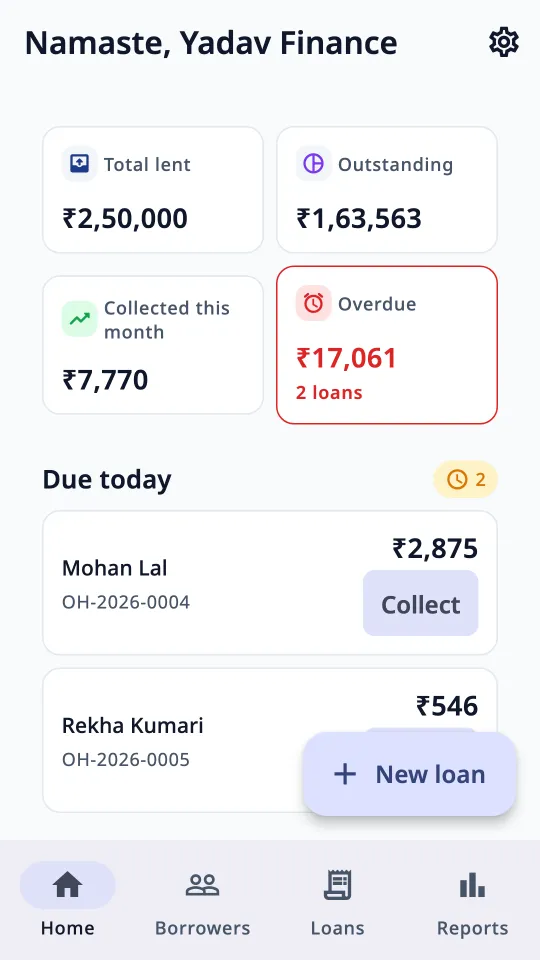
Home screen shows who pays today and who is late, with one-tap Collect.
PDFs in Hindi or English
Loan card, statement, agreement with schedule, receipt and No-Dues certificate (NOC) — properly rendered Hindi.
Reports
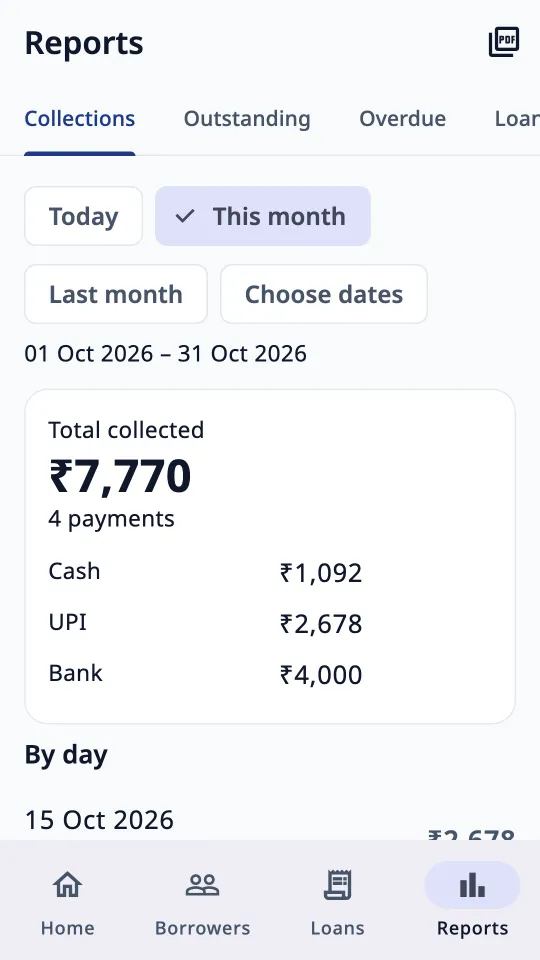
Collections by day and mode, outstanding by borrower or village, overdue by days late, loans given — export any report as PDF.
App lock
PIN or fingerprint lock so your books stay private, even if someone else picks up your phone.
How it works
Three steps. No training needed.
- 1
Add a borrower and a loan
Enter the amount, rate and number of installments. OrbitHisaab shows the full schedule, total interest and APR before you save — and warns you if interest would cross the legal limit.
- 2
Collect and give a receipt
Tap Collect, choose the amount and mode, save. The schedule updates and a numbered receipt is ready to share.
- 3
Close with a clean NOC
When the last rupee is paid — or the borrower precloses early, with no extra interest — the loan closes and a No-Dues certificate is ready.
Screens
See it in action
Dashboard
Borrowers
Loan & schedule
Collect payment
Receipt
Reports
In Hindi
Data safety
Your books are yours
Your borrowers trust you with their details. We built OrbitHisaab so that trust is safe.
Only you can see your records
Each account's data is locked to its own login. We never sell or share it.
Stored in India
Records are kept on Google Cloud in Mumbai, encrypted in transit and at rest.
No contacts, SMS or location
The app never reads your contacts, messages, call log, gallery or location. Camera is used only when you take a borrower's photo.
Never the full Aadhaar
Only the last 4 digits can be saved, for identification.
Delete anytime
Settings → Delete account and data removes everything — records, photos and login.
An honest trail
Payments are never deleted, only reversed with a reason, and every change is logged — fair to lender and borrower.
A record-keeping tool, not a lender
OrbitHisaab does not give loans, take applications or move money. Lending on interest needs a money-lending licence under your state's law. The app helps you stay within it: it shows your licence on receipts, checks the interest cap, and has no recovery-pressure features.
FAQ
Common questions
Does it work without internet?
Yes. Add borrowers, loans and payments offline; everything syncs when you're back online. Only photo uploads, sign-in and account deletion need internet.
Can I use it on a new phone?
Yes. Sign in with the same account and your records come back.
Which interest methods are supported?
Flat and reducing balance (EMI), with weekly, fortnightly or monthly installments. The app shows total interest and APR before you save a loan.
Does the app lend money or collect payments online?
No. It is only a ledger. You lend and collect as you do today; OrbitHisaab keeps the record.
What if I enter a payment by mistake?
Reverse it with a reason and enter it again. The schedule and totals correct themselves, and the history stays honest.
How do I delete my account?
In the app: Settings → Delete account and data. Or see the Delete account page on this site.
Close the notebook. Open OrbitHisaab.
Your next loan entry takes less than a minute — and the next collection, less than 15 seconds.
Coming soon onGoogle Play